Use JPG for photographs
JPG is usually the smallest practical format for photos. Start near 82% quality, then compare the preview before downloading.
 GetResizer
Resize, compress and convert images without uploading them.
100 MB per file. Up to 100 images or PDF pages, with a 40 megapixel limit per image and 80 megapixels across the queue. Use smaller batches on devices with less memory.
Each tool runs in your browser. No upload, account, or subscription is required.
No matching tool. Try resize, compress, PDF to PNG or color, or read the format guide.
Changing the format does not guarantee a smaller file. This original transparent icon is 3,731 bytes as PNG. Our white-background JPEG export is 4,660 bytes at the same 320 × 200 dimensions, and its transparent opening becomes white. The downloads let you inspect both changes rather than relying on a compression promise.

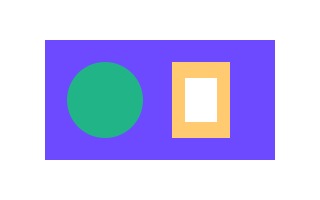
For these flat shapes PNG is the smaller file and retains transparency. A detailed photograph can behave differently. Choose an output for your destination, then compare actual bytes, edges and opacity. Our PNG to JPG worked example explains the settings; the format lab makes fresh comparisons on your own image locally.
Measured 2026-11-13, Chrome 157.0.8103.52 on Windows, JPEG quality 92%, white background. The images are original synthetic artwork; these bytes are an example, not a general benchmark.
GetResizer combines the editor with plain-language guidance, so you can choose dimensions, quality and formats intentionally instead of relying on one-click presets.
JPG is usually the smallest practical format for photos. Start near 82% quality, then compare the preview before downloading.
PNG preserves transparent pixels and sharp interface graphics, but photographic PNG files are often much larger than JPG or WebP.
WebP commonly delivers smaller web images while retaining good visual quality. Keep a JPG fallback only when older software requires it.
Direct answers about privacy, formats and processing.
No. Files are decoded, edited and exported by your browser. GetResizer does not receive the selected image contents.
Yes. There is no account, subscription or watermark. The public site may use clearly separated advertising to fund development.
Core workflows cover JPG, PNG, WebP and SVG. Compatible browsers can also decode HEIC files and render PDF pages locally.
File size depends on image detail, dimensions, format and quality. Two images with identical dimensions can compress very differently.
No. The tools run in a modern browser with JavaScript enabled. Nothing is installed and no account is created.
Each file can be up to 100 MB, with a queue of up to 100 files or PDF pages, a 40 megapixel limit per image and 80 megapixels across the queue.
Resize, crop, compress, convert, transform, sample colors, and create memes.
Modern Canvas APIs process files directly in your browser.
Work with up to 100 files and download the results together.
Runs locally on Windows, Linux, macOS, and mobile browsers.
Selected files remain on this device and are never uploaded by GetResizer.
No registration, payment or watermark is required to process an image.